
IO Settings
IO Settings User Guide
The physical inputs and outputs on the HUBBOX Connect X2 terminal block can be managed and configured through the local management panel under the IO Settings menu.
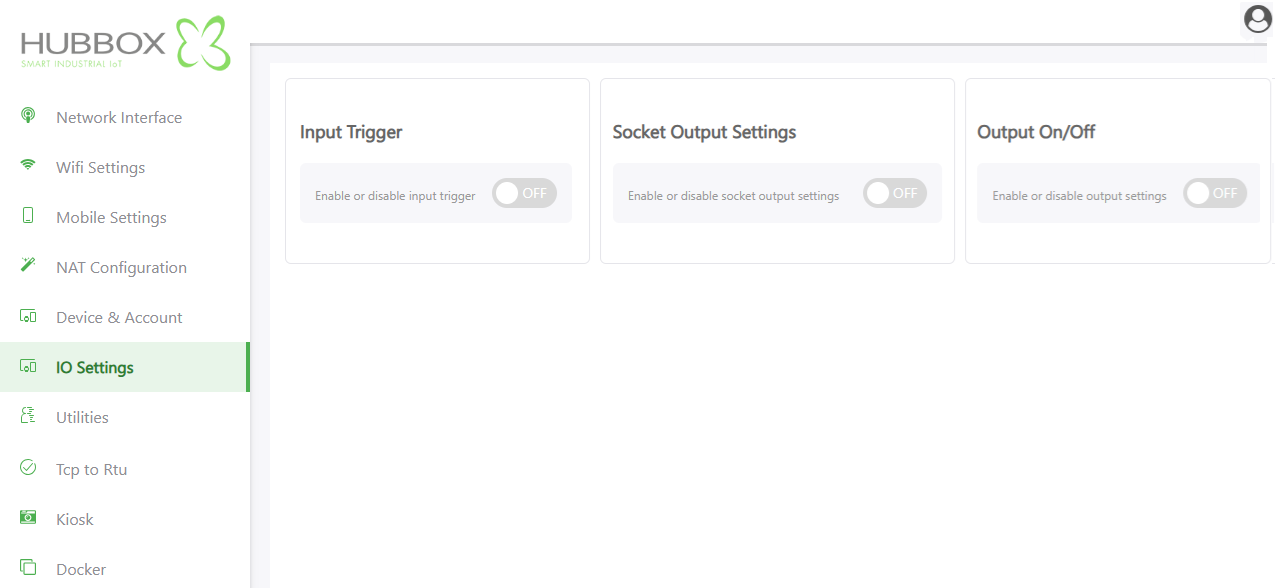
1. Digital Input Trigger
This section defines how the system reacts to physical signals arriving at the Digital Input (DI) pin.
- Function: Detects the presence or absence of a signal (typically 24V DC) at the input and triggers the DO output based on pre-set logic.
- Usage: Set the toggle to ON to enable the trigger. This is ideal for monitoring machine "Run" states or reporting emergency stop signals to the cloud.
2. Socket Output Settings
This configures the Digital Output (DO) to be controlled via network services or software commands.
- Function: Allows the DO to be triggered automatically if the "Hubbox Management" cloud service connection is lost.
- Usage: Switch to ON to enable your local automation system or custom software to use the output pin as a "smart relay" during remote access outages.
3. Digital Output On/Off (Manual Control)
Controls the global state of the physical Digital Output (DO) pin on the device.
- Function: Determines if power can be delivered to Pin 8 of the terminal block.
- Usage Scenarios:
- OFF: The output pin is completely disabled; no signal will be transmitted regardless of trigger settings.
- ON: The output pin is armed. Relays or contactors can be triggered based on defined triggers or socket commands.
Note: To ensure proper operation, Pin 8 control requires the device to be powered and in its standard operating mode.
Technical Mounting & Wiring Reminder
Before applying software settings, please verify your physical wiring:
- Digital Input (DI): Senses signals via Pin 7.
- Digital Output (DO): Transmits signals via Pin 8.
- Critical Safety: Never connect high-current devices (motors, high-power solenoids) directly to these pins. To protect the device circuitry, always use an intermediate relay (interposing relay).
For technical support and detailed wiring diagrams, please visit www.hubbox.io

