
Overview of the HUBBOX Panel
HUBBOX Panel Overview
Once you successfully log in to the "HUBBOX Panel", we will explain the menus and icons that you will encounter. The general overview is as follows:
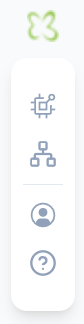
- Dashboard (Home Icon): Redirects you directly to the "HUBBOX Panel" home page.
- Devices: Allows you to list and view all your HUBBOX devices. You can view the overall status of your devices and the summary information you've defined.
- Networks: Allows you to view the networks your devices are connected to and configure their necessary settings.
- Sub Users: Allows you to define sub-users who will securely connect to your devices and assign specific permissions for each device.
- Support: Redirects you to the "HUBBOX Support" page where you can get assistance and technical support on any topic.

